
Last Updated on April 20, 2026 by Johann Holsinger
Installing a new home entertainment system?
Smart projectors are gradually entering American homes.
In this age when smart TVs are getting larger, slimmer, and more affordable, these projection devices offer a more immersive and cinematic experience at home.
As a result, homeowners looking to upgrade or build a media room or home entertainment system are torn between smart TVs and projectors.
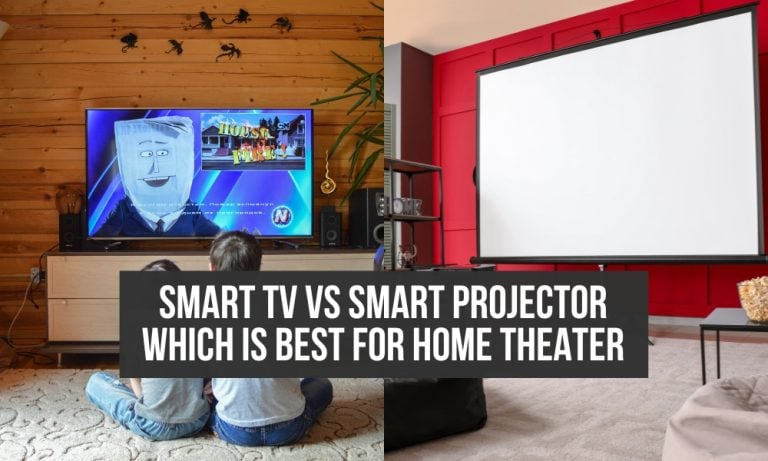
If you find yourself in this situation, we have your back. We have created a comprehensive guide that compares the two most promising visual equipment available today: Smart TV vs smart projector.

What is a smart TV?
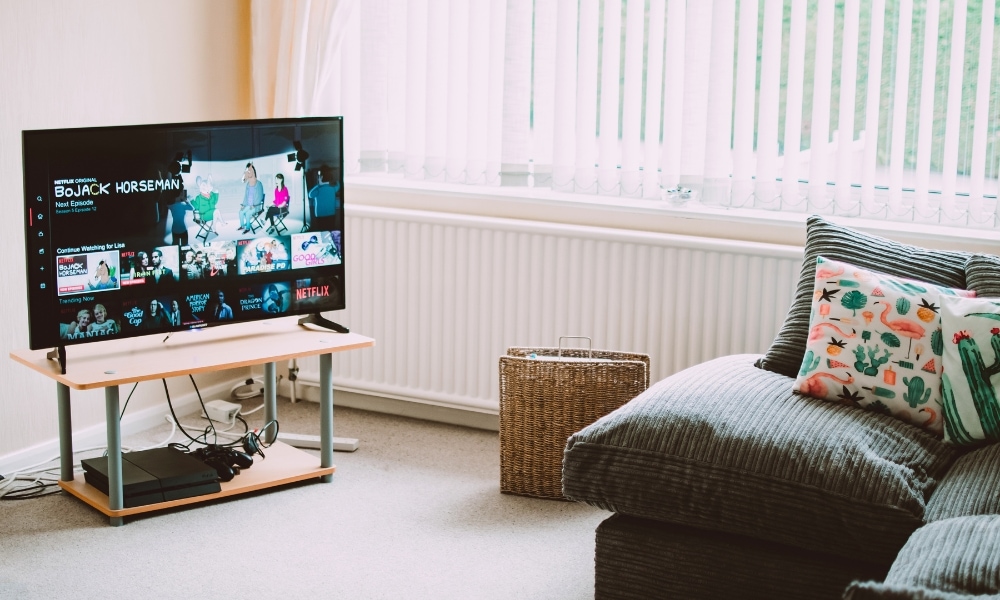
A smart TV is an upgraded version of our traditional television equipped with integrated internet connectivity that can connect to various online applications.
With Web 2.0 capacity, anyone can stream or watch movies, view images, or browse the internet using the Smart TV. One example of a smart television is an Android TV.
Android TV has built-in applications that make streaming and watching movies easy.
Why get a smart TV?
- View movies and videos on a stand-alone television set
- Crisp and clear images regardless of the environment
- Built-in audio
- Built-in smart streaming applications
- Flexible mounting options
- More affordable
- Option for fixed and mobile mounting
My few issues with smart TV
- Fixed screen size
- More difficult to view in a darker environment
- It is not always portable but movable with a rolling stand.
What is a smart projector?
A smart projector is a piece of multi-media equipment that works by projecting visual graphics like videos and movies onto a screen or to a wall surface.
This big guy multi-media player has built-in applications for streaming and watching, similar to smart TVs.
The only difference is it needs to be mounted over a specified distance to throw motion pictures to your desired screen size.
But like any other projector, you can still use it for presentations, training and seminars, gaming, and art.

What do I like about smart projectors?
- Adjustable screen size and placement to your liking
- Portable
- More immersive and cinematic feels
- Built-in smart applications
- Connect to internet
- Save more space
- You can project movies onto the ceiling and watch from in bed
Some drawbacks of smart projectors
- Will need a screen area for visual projection
- Pricey
.
Installation
TV mounting options
The installation is easier for televisions than projectors. You only have to decide where to mount it and the height.
Connect the set-top box, speakers, media players, and game consoles, and that’s it.
These attachments are usually centralized. Smart TVs are plug-and-play. You do not have to adjust focus or alignment like on projectors.
Smart TVs have flexible mounting options. Mount it on the wall and adjust it from different viewing angles.
You can also hide it in a cabinet if you like privacy from digital reality from time to time.
You can install it on the ceiling if you have a pitched roof. Or you can even attach it to a TV stand.
So, no matter your chosen place for your television, the installation is pretty straightforward for any type of mounting requirement by following our recommendations.
Smart projector mounting options

When you set up a smart projector at home, you will prepare the surface. For better projection quality, it has to be smooth, flat, and painted with high-gain reflective paint.
You also have a few options to project the motion picture.
If you do not use the wall, you can set a projection screen on a stand or build a motorized projection screen that hides in the ceiling. We are only talking about the projection surface.
When you install the projector at the right distance, from the ceiling or a wall, you still have to adjust the focus, image, placement, or keystone.
However, some of these projectors today already have autofocus and auto keystone. These adjustments look easy, but they can be a challenge.
You will adjust brightness, contrast, and color since they work best in a dark room as needed.
From here, you can connect Blu-Ray disc players, game consoles, cables, and audio. But even though the projector is challenging to install, all the efforts are worth it.
A great thing about these visual graphic equipment is that they are great for outdoor movie nights as the screen does not need to be protected from water, and you can move the projector inside afterward.

Smart Features
Most projectors today are not left out when it comes to smart features. While you can use a projector with these functionalities, they come equipped with built-in smart apps.
You can stream on platforms like YouTube or Netflix. Some projectors use Google and Android Apps.
And just like the smart TVs we use today, these projection devices also have digital assistants like Alexa or Google Assistant to speed up our search questions.

Operation
Most smart functionalities of TVs and projectors are almost the same.
You will use a remote control to navigate the menu and select the streaming application on the screen. Both of them can operate from a voice prompt to control the device.
Both devices pick up a signal on the media device attached, like a TV box or media player.
But without attachments, you can operate a television by pointing the remote to the screen.
Meanwhile, the projector will pick up your instructions not directly on the screen but on the projector or the device attached to it.
Unless you have a short-throw unit, the distance is shorter, and you can use a voice prompt.

Display
The difference between smart projectors and TVs depends on many factors. Factors such as brightness, contrast, ambient light, resolution, and color affect the overall quality of the images and videos.
Brightness
TVs are more adaptive to ambient light, making them suitable for well-lit rooms and daytime viewing. OLED and QLED screens can produce brighter images, while projectors need more adjustments to achieve this brightness level.
For this reason, these visual projection equipment produce sharp and high-quality motion pictures in a dimmed environment. In this state, the ambient light does not overpower the brightness, keeping the image at the hardware’s best quality.

Contrast
Contrast is determined when combining the darkest and brightest parts of the picture.
Smart TVs today offer exceptional contrast ratios that can stand the challenges of ambient light and enhanced contrast.
In the case of projectors, it would be harder to keep the projection at darker levels.
Although some projectors employ dynamic iris systems, where you can adjust on and off contrast, they still cannot be compared to the performance of smart televisions.
You can turn off smart pixels, and they can still display real black and vibrant picture colors.
Color
For colors, projectors and TVs produce high-quality colors, depending on the technology they use. In general, you do not have to spend more on projectors if you want them to display accurate colors.
On the contrary, televisions require added costs if you want a higher-quality picture and a wider color gamut. Smart TVs equipped with High Dynamic Range or 4K UHD cost more than those with Standard Dynamic Range.
The only problem with projectors is the color changes when the lamp or bulb ages.
Projectors still have different pixel and resolution outputs depending on the unit’s inner technology.
Audio
Smart TVs have built-in speakers, which usually produce weaker audio.
In most cases, you must amplify the audio with a dedicated soundbar, speakers, or a surround sound system with a sub.
Meanwhile, you need to connect speakers to a projector like other media players. Some portable units have built-in speakers, depending on their design.
The built-in speakers are insufficient if you aim to upgrade or build a home theater.
You can install a surround sound system with your preferred visual equipment for an enhanced experience.

Mobility
When it comes to mobility, smart projectors are more flexible than TVs, except for ceiling mount types.
After installing a television on the wall, you cannot always simply take it off because you want to change viewing locations.
Tip: You can utilize some RV clip TV mounts for your home’s inside and outside walls!
Although some TV mounts have adjustable viewing angles, you cannot move most wall mounts from one place to another. If you want to move the TV around, try attaching a 32-inch screen to a rolling stand dedicated to aportable TV.
Since most home projectors are tabletop or portable, you can bring them outdoors.
But of course, you can only use it outdoors when the sun is setting, and the surroundings are already dim.
You can set up a mobile projection screen outdoors and bring the projector out at the right time.

Size
The smart projectors win when it comes to screen size.
They project pictures on cinematic-size screens, and you can adjust the size to your preference. In our database, the largest screen size you can get for a home projector is 300 inches.
But realistically, 100 to 120 inches is sufficient for personal use. Even mini projectors can project up to 200 inches on average.
Smart TVs, on the other hand, range in average size from 40 to 65 inches. A 98-inch TV could fit in a room you are building for home entertainment, but you cannot change the screen size after purchase.
With movie projection devices, you can decrease or increase the screen size during projection.
In summary, smart projectors offer more flexibility in terms of screen size for bigger rooms.

Viewing comfort and safety
Both equipment can be friendly to the eyes with appropriate settings, proportionate room size, and suitable lighting.
While projectors produce larger images, they cause less eye strain because of indirect image projection.
If your projection size matches your viewing arrangement, your eyes relax even better.
If there’s any safety hazard to using smart projectors, that would be the light coming directly from its opticals.
Although no one would or should stare directly at the lens, no one should try to since most short-throw models today use laser technology.
TV screens emit light and UV rays directly into the eyes. Good thing that most of them today come equipped with blue light filters and flicker-free display technologies that help reduce eye strain.
Although both visual equipment emit radiation, you do not have to worry. These visual equipment brands must comply with Electronic Radiation Control standards set by the FDA [1] before releasing them to the market.

Price
TVs are more affordable than projectors. You can get the basic smart functionality under $100. Although you must pay more for added features, the overall cost is still friendly for households trying to upgrade their media room.
Even when you have to add your TV mounting options, media players, and audio systems, setting up a larger monitors at home is still a wise investment and is more practical.
But if you choose a smart projector, you should also consider the added cost of purchasing a screen and doing wall or ceiling mounting installation. Moreover, the costs may double or triple when you opt for a short-throw unit.

Smart TV vs smart projectors: Who wins?
Smart projectors and smart TVs both offer a range of benefits individually. These projectors offer a larger screen size and more flexibility with location and outdoor use.
However, they are pricier than smart televisions and require additional equipment such as a screen and still require a mount.
Smart TVs are more affordable, easier to set up and have better picture quality normally at closer viewing distances, even in bright environments.
Ultimately, the best choice depends on some factors, such as your budget and preferences.
Also, consider your viewing position and screen size. It takes thorough research and know-how to decide which one fits your dream home entertainment.
But considering the efficiency and performance, smart TVs are more practical. But if you have the budget and prefer a cinematic setup with indirect light, go for a smart projector.

More information:
- Electronic Product Radiation Program guidelines published by https://www.fda.gov/radiation-emitting-products/electronic-product-radiation-control-program/electronic-product-radiation-control-program-industry-guidance