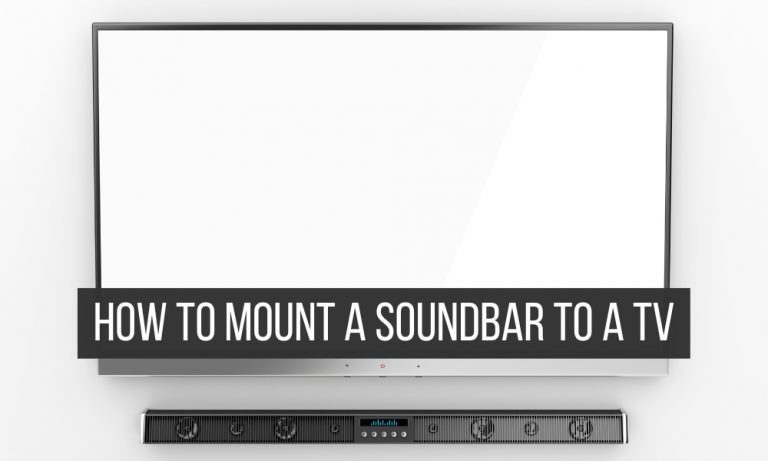
- Do you know how to mount a soundbar to a TV?
- Step 1: Decide if you should mount your soundbar above or under the TV.
- Step 2: Get the right soundbar type.
- Step 3 – Remove your TV from the TV wall mount.
- Step 4: Attach the soundbar bracket to the TV mount.
- Step 5: Reattach the TV back to the TV mount.
- Step 6: Make a final check.
- Step 7: Re-mount your TV on the wall.
- Step 8: Attach the soundbar to the TV mount or TV.
- Step 9: Connect the soundbar to your TV and test your soundbar.
- How to mount the soundbar directly on the wall?

Last Updated on April 18, 2026 by Johann Holsinger
Do you know how to mount a soundbar to a TV?
Everything can become overwhelming when you buy a new TV and you think that you are ready to install it on the wall. Make sure that you don’t forget a soundbar.
The time will come – when you have already drilled the holes, mounted your TV, and set up your cables beneath the walls and you will need a soundbar to amplify the sounds that come from your TV.
While televisions have come a long way far from being bulky and becoming crispy, there hasn’t been much improvement done to improve the sounds coming from built-in TV speakers.
And now, the problem is that you did not allow a specific place on the wall for your soundbar.
Don’t worry. You don’t have to mess up your current setup. You can still place your soundbar securely.
You only need to take a little extra effort to install a soundbar. And no. You don’t have to drill holes in the wall if you want to mount a new soundbar.
So if you’re ready for it, we have prepared a comprehensive guide to mount your soundbar to a TV.

Step 1: Decide if you should mount your soundbar above or under the TV.
A lot of people are still confused about whether to mount a soundbar above or under the TV.
In my personal opinion, the ideal place to mount your soundbar is under the TV.
Putting your soundbar at the center under the TV is visually pleasing and it doesn’t create too many distractions.
If you are using an extendable mount, the direction of the sound goes straight to you and does not scatter too much to the left or right.
Because of this, you may experience optimum performance when the soundbar is below the television in connection with the optimal TV viewing distance.
Placing a soundbar under the TV can help you route wires more easily while also on a television mount. Compared to if the wires have to cross more slots from above the TV, that would be unsightly. It would only mess up your efforts to keep your TV hidden or neat.
However, placing your mount above the TV could be beneficial too, especially if your soundbar fires audio downwards slightly.
Mounting a soundbar above the television will not cause Radio Frequency Interference (RFI) to accommodate remote control sensor signals [1].
This interference is unlikely to happen when the sound waves are flowing upwards. A soundbar above the TV could favor fixed-floor stands. These TV stands have an adjustable height that can adapt to low-height seating couches.
So check your soundbar design. If its speakers are firing downward, better to install it above your TV.
Choosing your soundbar location first can help you find the right soundbar mount.

Step 2: Get the right soundbar type.
We have listed different ways to mount your soundbar below. As there are different soundbar types to use:
- Extension brackets – This mount goes for soundbars with mounting holes at the back and is attached as a one-piece bracket to a TV mount.
- Extension plates – This is a two-piece universal mount that you can attach on the TV mount or directly at the back of the monitor and can help to make height adjustments.
- Wall-mounted soundbar mounts – This two-piece mount is mounted directly onto the wall.
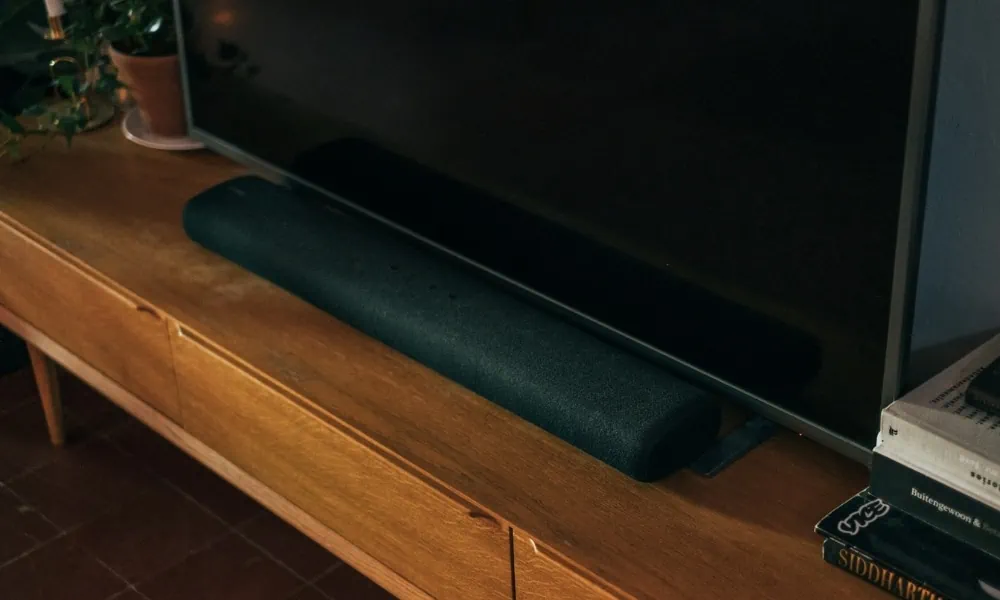
Mounting Option 1 – Attach the soundbar mount to your TV bracket.
With our first option, you will buy extension brackets that you can attach directly to your TV mount.
This bracket not only secures the soundbar by fastening it with screws, but it also has two holders for added security.
Also, these extension brackets hold soundbars with or without mounting holes at the bottom of a soundbar.

Mounting Option 2 – Screw the bracket to the back of your TV.
To do this, you only need a pair of extension plates that you can screw directly to the back of a TV.
Extension plates are also mountable extensions for TV mounts. These plates do not have holders but are ideal for soundbar mounts that have mounting holes at the back.
Mounting Option 3 – Mount your soundbar bracket to the wall.
The least ideal way to mount a soundbar to a wall is by attaching it directly to the wall with a universal soundbar wall mount kit. Although, I don’t recommend this if you are using an extendable TV wall mount as the sound will not follow the direction you move your TV too.
This method will require you to drill holes in the wall. Sometimes it comes with a set of wall plug kits. Expect anti-slip rubber pads with adjustable depth control
Step 3 – Remove your TV from the TV wall mount.
Removing your TV will keep it safe during the soundbar mount installation.
Make sure to have someone help you remove the monitor to avoid the chance of dropping or heavy lifting.
- Detach all the cables and wires after powering down the devices.
- Unlock the mount. Different safety locks keep the television secure in the mounting adapter. If the safety lock is a screw-type, you only need to unscrew it to loosen it up. With assistance to the lower part of your TV, turn the knob until loose. If you find pull strings on the lower bracket, pull them with full force until you hear a clicking sound. A horizontal locking bar only needs to be pulled to the side to unlock.
- Safely lift the television from your wall mount. If you use an extendable mount, you can remove the television with the mounting plate. For fixed or tilting TV mounts, simply lift the unit up to remove it.
- Place the monitor on a safe soft surface. Doing this will give you a better view of the back of the TV when working behind the wires.
Can you mount your soundbar bracket without removing your TV?
Yes, if you are using an extendable TV mount with extra-long pivoting arms. However, it is much safer to remove the television when installing a soundbar bracket to a TV mount if space is restrictive.

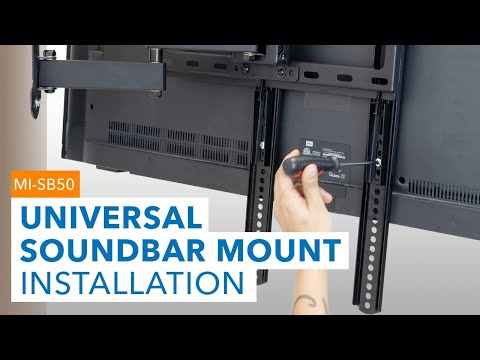
Step 4: Attach the soundbar bracket to the TV mount.
With your TV laying down facing a soft surface attach the mounting plate or adapter to the TV.
You need to figure out which holes are suitable for the soundbar bracket and the TV mount together. Mark the hole placements before screwing.
Sometimes you have to test the bracket with the soundbar on the mount for accurate placement.
Check the hole placements of your soundbar and see if it fits the holes in the soundbar mount.
Provide enough distance between the bottom of the TV and the top of your soundbar. The distance should be around four to six inches.
Start attaching the soundbar bracket to the TV. And make sure to use appropriately sized screws.

Step 5: Reattach the TV back to the TV mount.
Use the original screws that you initially used to mount the TV. However, keep in mind that the screw may get shorter if you are now using two brackets i.e the soundbar extension and the TV mount.
If the screws are not long enough, replace them with fixing of adequate length. Once you have reattached the TV, test the unit for secured installation.
Step 6: Make a final check.
See if the soundbar fits on the mount before reattaching the TV to the wall mount. However, do not fasten your soundbar yet.
Step 7: Re-mount your TV on the wall.
Mount the TV back to the wall.
Do not include the soundbar yet, as the added weight can cause everything to fall.
Use the correct hardware and screw the mount securely on the wall.
Make sure that the assembly does not wobble when mounted.

Step 8: Attach the soundbar to the TV mount or TV.
Now, you can mount the soundbar onto the TV mount. Some mounts do not have mounting holes to secure the soundbar.
Some soundbars have mounting holes at the bottom of the backend. You only need to use suitable hardware to fasten up.
This step should be the easiest as you have carefully measured the mounting holes, and the soundbar should fit perfectly on the bracket.
Step 9: Connect the soundbar to your TV and test your soundbar.
Use RCA, HDMI, or Bluetooth to connect your soundbar. There should be about four to six inches of distance between the TV and the soundbar. Test your soundbar to make sure that the cables are connected properly. Sometimes a jack is not fully inserted, and the soundbar creates some static sound.
How to mount the soundbar directly on the wall?
Mounting your soundbar directly to the wall is easier than attaching it to a mount or to the back of your TV if you have a fixed TV wall mount.
I find this quick as you don’t have to remove your TV. You will need a few tools:
- Power drill
- Marker
- Level
- Stud finder
- Screwdriver
- Tape measure
Here’s how you can mount your TV directly on the wall:
- Determine the correct placement of your soundbar on the wall. Still, the best placement is under your TV, especially if your TV mount has to move around. Measure your soundbar length and take note of it.
- Mark the placements of the two pieces of the bracket. Ensure that they are level. Use a stud finder, so your drill will not drill into an empty cavity with no stud beneath the wall.
- Use the correct drill bit for concrete and start drilling the holes on the marks you’ve made.
- Fasten the brackets on the wall with the correct fixings that came with the kit.
- Place your sound bar on the bracket and connect it to your audio cable or connect the Bluetooth.
- Test your soundbar.
Final Thoughts
Installing a soundbar is not rocket science and is easy to do with careful planning. However, be careful when dismounting your TV because most TVs today can be sensitive. Use a safe surface, with a cover on the surface, when attaching the mounting plate of the TV mount and soundbar bracket. Also, don’t forget to provide an adequate distance between the television and the soundbar.
Here’s one more tip. You can add a subwoofer to enhance your TV audio. This add-on is your next step if you are still picking up the pieces for your final home theater setup.
And now that you know how to mount your soundbar to a TV, gather your tools and start mounting. Enjoy!
More information:
- Interference and beats, https://www.physicsclassroom.com/Class/sound/U11L3a.cfm